Every account. Every currency. One clear view.
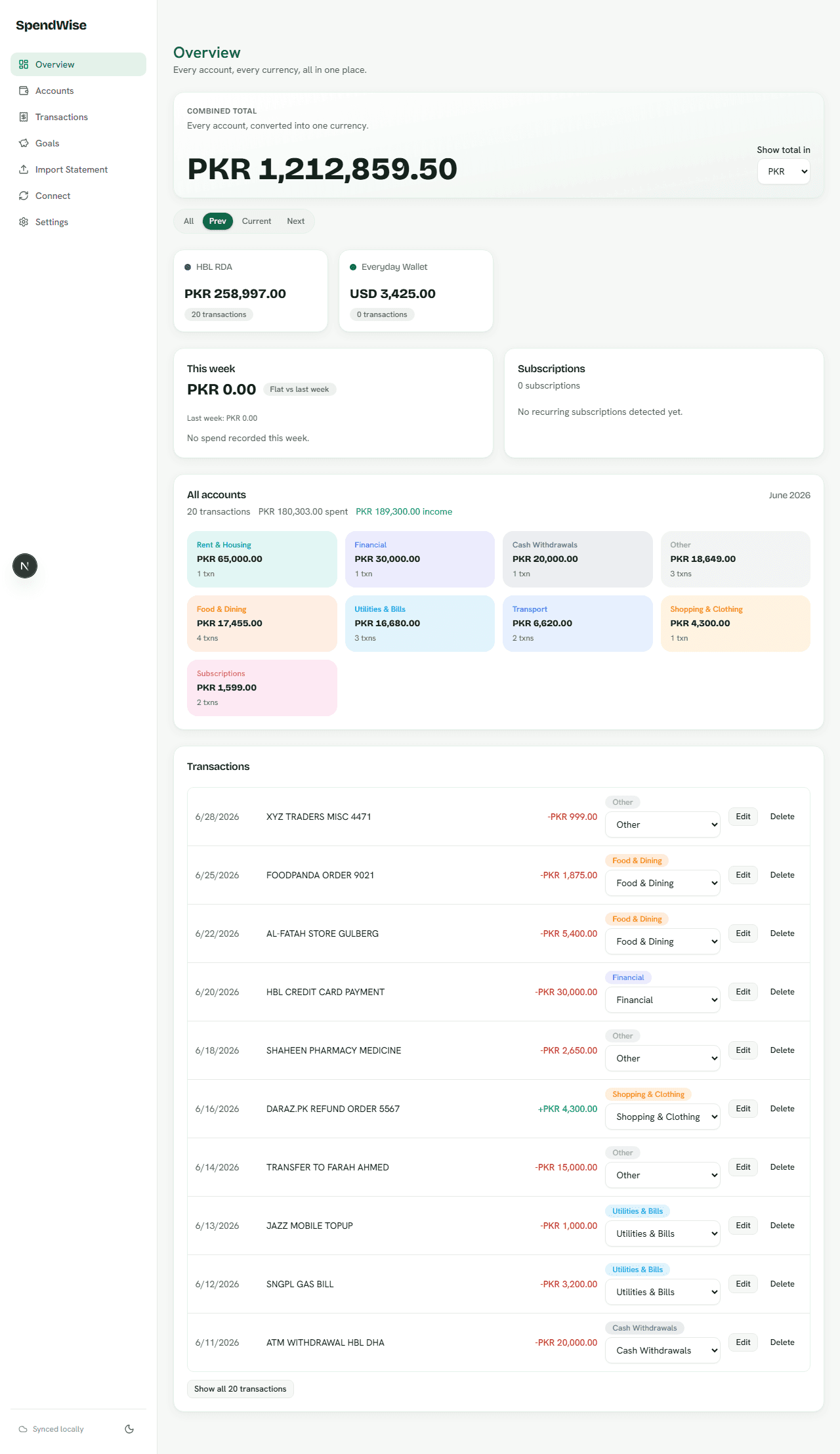
SpendWise consolidates every bank account and currency you use into one dashboard — import a statement or connect an account, and see everything, already categorized.
No credit card needed. We never take your bank login.
Built for Pakistan's freelancers and multi-currency earners
We never take your bank login
Uploaded statement files aren't stored
Everything you need to see your money clearly
One place for every account, every currency, and every statement — with the busywork automated away.
Multi-account, multi-currency
Unlimited accounts and currencies on every plan
Statement import & auto-categorization
PDF and CSV import, no manual data entry
One dashboard, weekly insights
Spend broken down by category, per month
Savings & goals
Any number of goals, any currency
Auto-sync for foreign accounts
Optional Wise and Plaid connections
Privacy & security
Your bank login is never requested or stored
How it works
From a blank dashboard to a full picture of your money in a few minutes.
- 1
Add your accounts
Add each bank account you use — any currency, any number of accounts — in a couple of minutes.
- 2
Import a statement
Upload a PDF or CSV statement, or connect Wise/Plaid for accounts they support. SpendWise extracts and categorizes every transaction.
- 3
See everything, categorized
Open the dashboard for a combined balance, spend by category, and a weekly snapshot of what changed.
Earning in dollars, spending in rupees? SpendWise was built for that.
If your income and your spending don't happen in the same currency, most finance apps fall apart. SpendWise treats multiple currencies as the default, not an edge case.
Get paid in USD, EUR, or GBP
Add the foreign-currency wallet you get paid into alongside your PKR accounts — no separate spreadsheet to reconcile them.
One combined total
See a single converted balance across every currency, while still viewing each account in its native currency.
Built around real freelancer banking
Statement import handles the multi-currency, multi-bank reality of remote work and cross-border payments out of the box.
Privacy is the default, not a setting
We built SpendWise to work without ever asking for the one thing you shouldn't hand out: your bank password.
Never your bank login
SpendWise never asks for your online banking username or password — not for import, not for sync.
Statement files aren't stored
Uploaded PDFs and CSVs are parsed for their transaction data and then discarded — we keep the transactions, not the file.
Secrets encrypted at rest
Provider connection credentials (for optional Wise/Plaid sync) are encrypted at rest. Export or permanently delete your data anytime from Settings.
See your money clearly, in every currency you use.
Free to start. Import your first statement in a few minutes — no credit card, no bank login required.
Get started free